Add your exams, your topics, and the time you actually have. Studywick spreads your review across every exam and tells you what to study today. Miss a day, and it rebuilds the rest of the plan to fit before each exam, or tells you it no longer fits.
What follows is a sample finals week. The exams, topics, and times are made up to show what the planner does.
Biology is Friday. Chemistry is Monday. US History is the Wednesday after that. Each one has its own list of topics, and the week in between is already full.
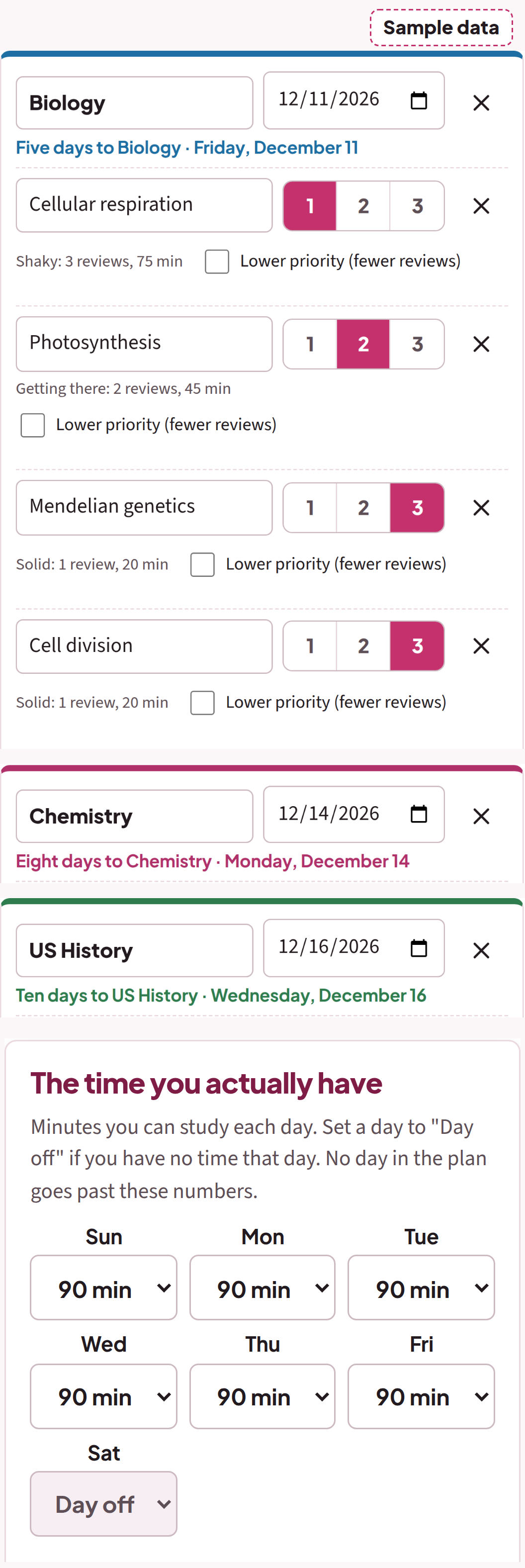
Open Studywick and put all three in: the exam, the date, the topics. Rate each topic from 1 to 3 for how sure you are of it. The shakier the topic, the more review it gets. Then the number a plan written once never asks for: the time you actually have. An hour and a half a night. Nothing on Saturday, because Saturday is a work shift.
Studywick lays out review sessions for every topic, spaced out until each exam, and splits your evenings across all three exams. Biology doesn't get the whole week just because it comes first.
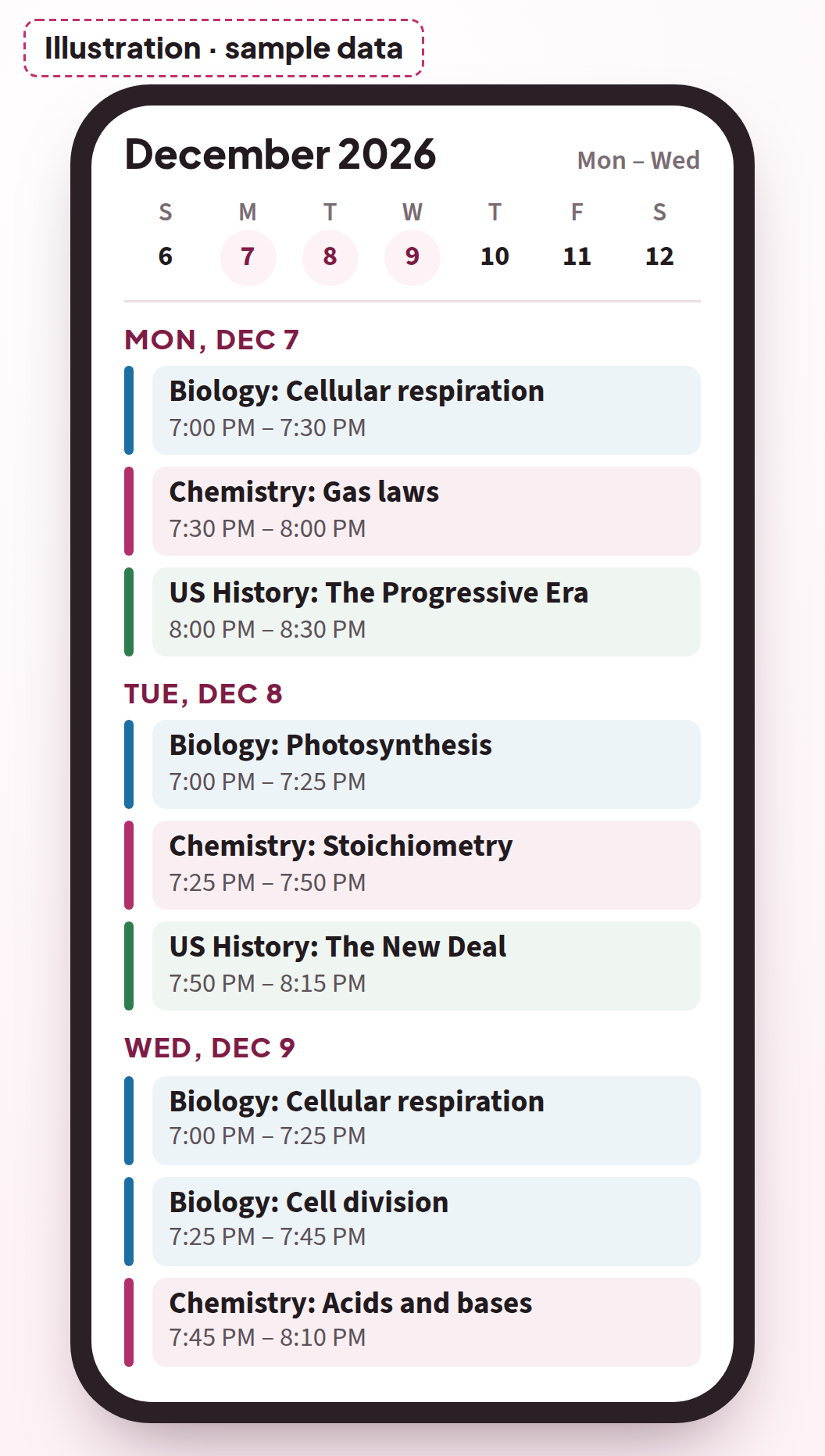
Last thing tonight: export the plan to your phone's calendar. Every session lands there as an event, where you already look.
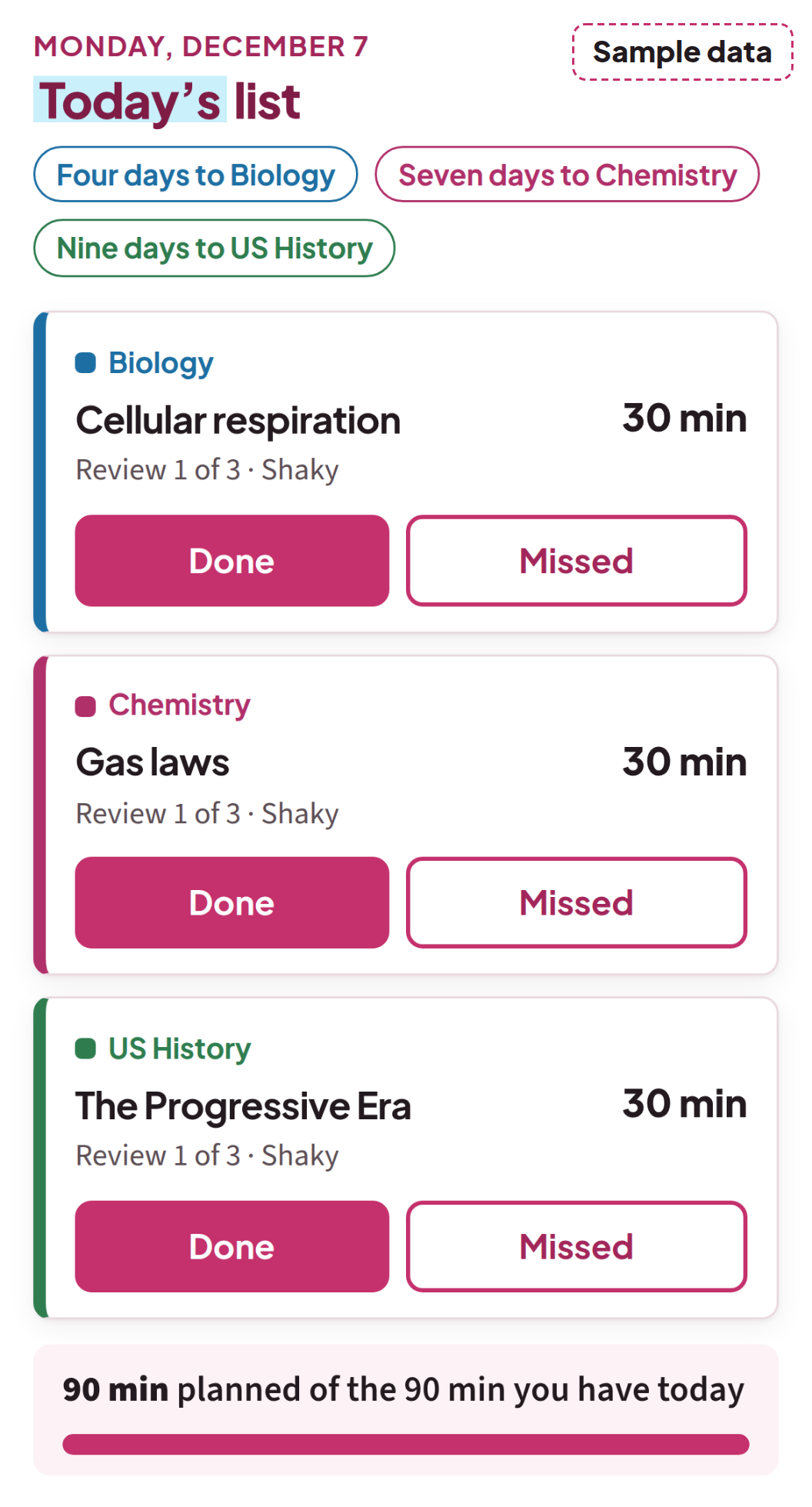
Monday, 7:10 a.m. Today's list.
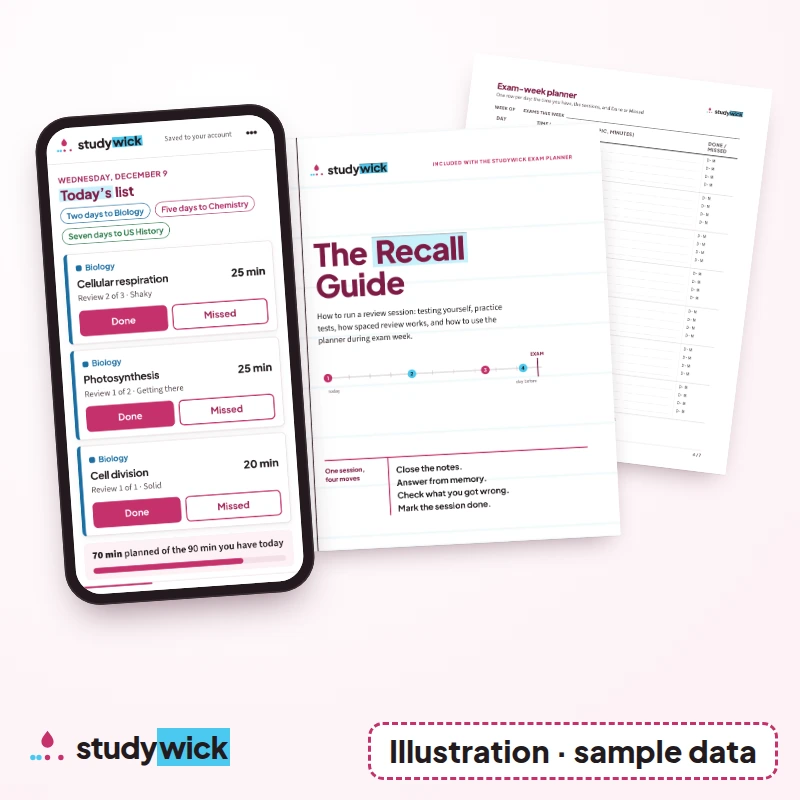
Don't plan this morning. Open the planner. Today is already laid out: a topic from each exam, the minutes for each one, and a total that fits the time you gave it.
Run each session the way The Recall Guide shows you. Close the notes. Answer from memory. Check what you got wrong. Mark the session done. Test yourself instead of rereading.
There's research behind that order. A 2013 review of ten common study techniques gave its highest rating to two: practice testing, and distributed practice, which means spreading study sessions out over time. It rated rereading and highlighting low. The review is Dunlosky and colleagues, 2013. It doesn't promise you a grade, and neither do we. It's the reason the planner spaces your topics out and the guide has you test yourself.
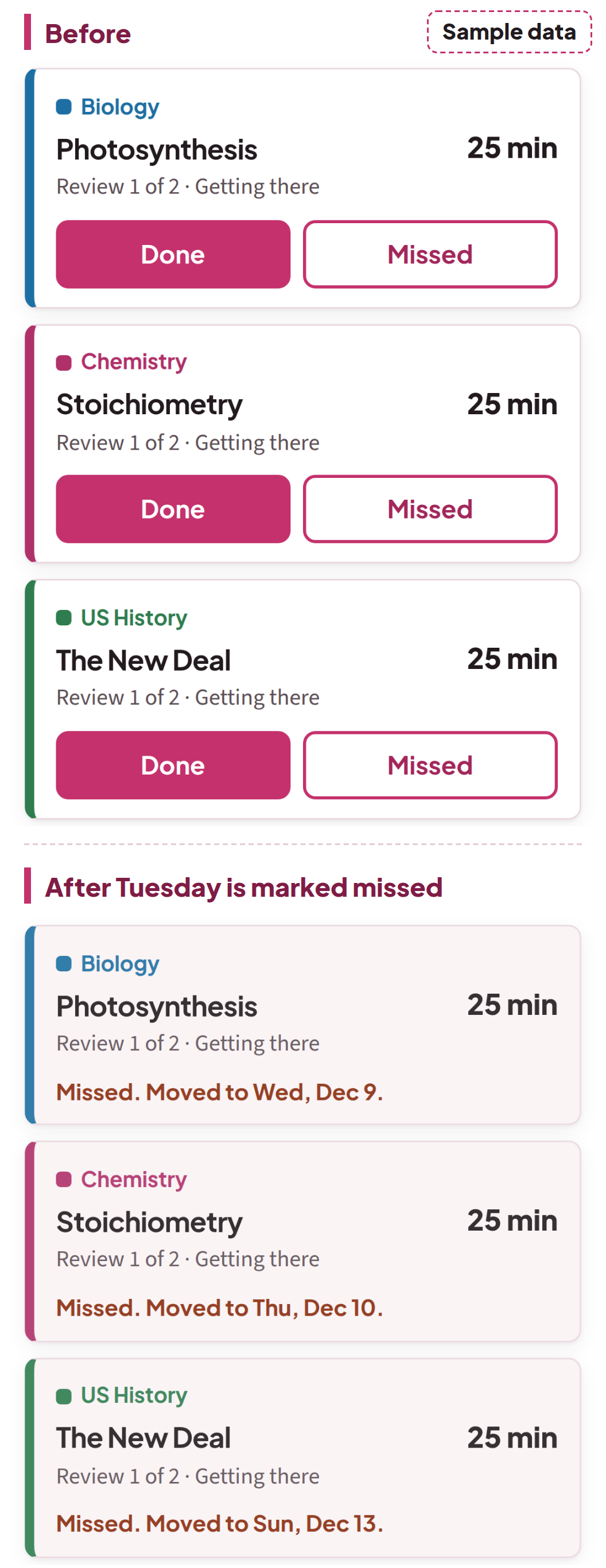
Tuesday, 6:15 p.m. The day slips.
The shift runs long. Or the lab report takes the whole evening. Or you're sick. Whatever it is, Tuesday's sessions don't happen.
On a plan written once, this is where things fall apart, and it isn't about willpower. That plan gave Tuesday's sessions to Tuesday. Now Tuesday is gone, those sessions have nowhere to go, and every day after it is off. Fixing it means redoing the split by hand, for three exams, in the middle of finals. So the plan stops matching the week, and a plan that doesn't match the week gets harder to open.
Before bed, open Studywick and mark Tuesday's sessions missed. That's your whole job tonight.
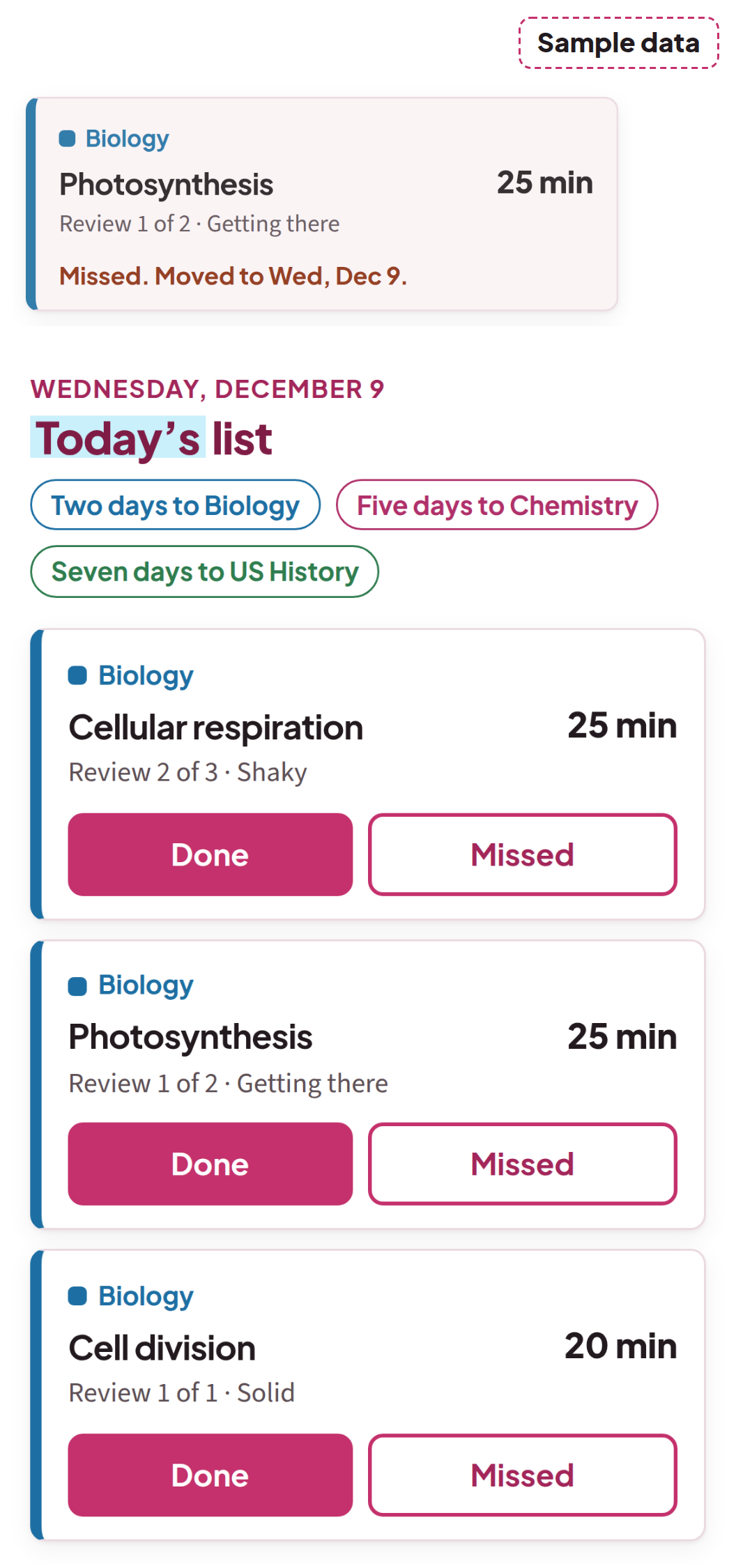
Wednesday, 7:05 a.m. Wednesday comes rebuilt.
Open the planner. Tuesday's sessions have moved into the days you have left before each exam: the Biology topics before Friday, the Chemistry topics before Monday, the History topics before the following Wednesday. In this sample week, it all still fits, and no day goes past the time you said you have.
One more thing before class: export the plan again. Your phone's calendar keeps showing the old week until you do.
Slip-Day Recalculation
Every time you mark a session missed, Studywick does four things:
It counts what's left: every review session you haven't done, for every exam.
It counts what you have: the days before each exam and the time you said you have on each of them.
It spreads what's left over the days you have, across all your exams at once.
If what's left doesn't fit, it tells you, and by how much.
A plan that can't absorb a missed day is wrong from that day on. Studywick plans in the time you actually have, and it redoes the math for every exam each time a day slips. A plan that rebuilds itself is the whole reason it exists.
Wednesday, 10:20 p.m. A second evening slips.
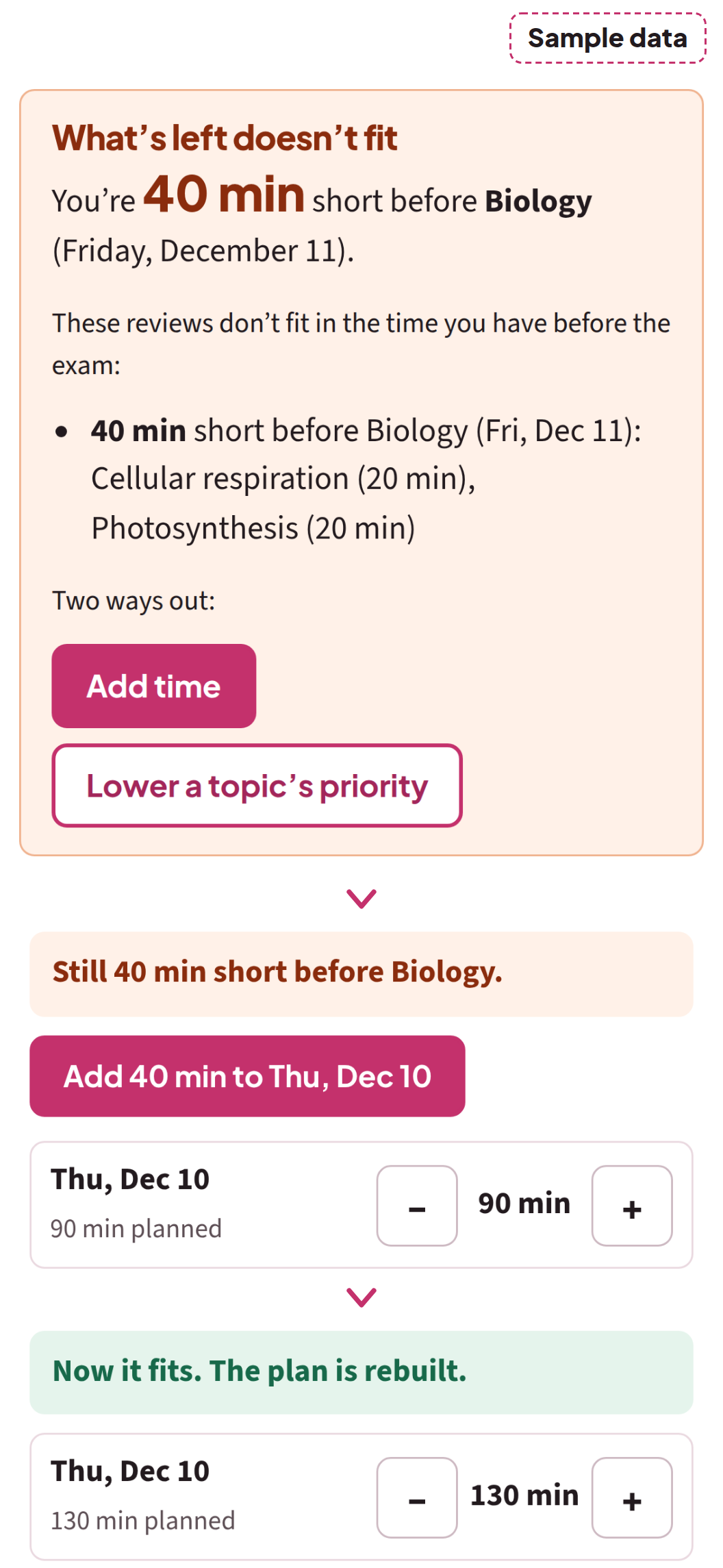
This time, what's left doesn't fit. Studywick doesn't cram it in and hope. It tells you how many minutes you're short and before which exam, and it gives you two ways out: add time, or lower a topic's priority. You make that call tonight, with Thursday still ahead of you, instead of finding out the night before.
Three questions for any study plan
Free or paid, app or paper, ask any plan these before you trust it with finals week:
When you miss a day, what happens to the sessions you missed?
Does it split your time across every exam, or just line up the next one?
Does it plan in the time you actually have, and tell you when that isn't enough?
A plan written once, on paper or as fixed blocks on your phone, can't answer the first question by itself. If what you use now handles all three, keep using it. If it doesn't, that gap is what Studywick is built for.
On your desk for finals
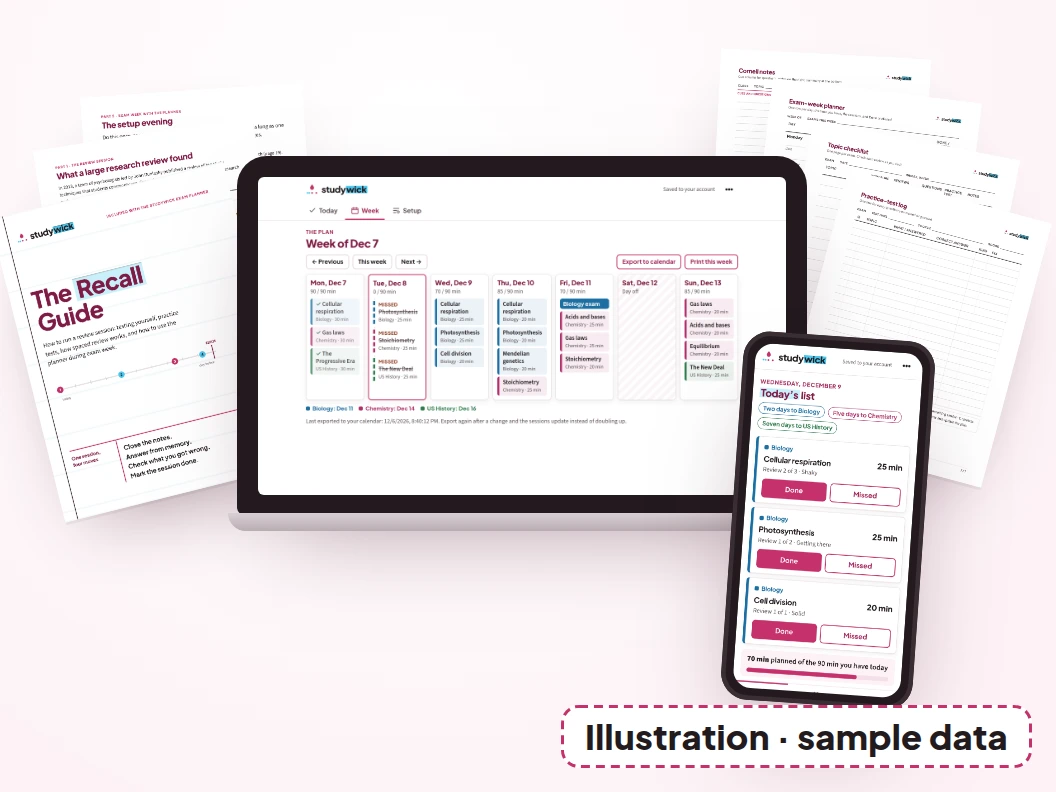
The Exam Planner. The web tool: your exams, topics, how sure you are of each, and your time. Today's list. Missed sessions rebuilt. The warning when it doesn't fit. Export to your phone's calendar, and print the week.
The Recall Guide. A 25-page PDF on running a review session: testing yourself, practice tests, how spaced review works, and how to use the planner during exam week.
The Templates. PDF pages for Cornell notes, an exam-week planner, a topic checklist for each exam, and a practice-test log.
Email support. Write to support@studywick.online. We answer within 2 business days, for 12 months after your purchase.
Friday, 7:30 a.m. Biology today.
Biology is today. On Wednesday night you took the first way out and added time to Thursday, and the plan fit again. Chemistry and History kept their place in the plan all week, even after two missed evenings, so neither one starts from zero once Biology is over. That's what splitting the time is for: the first exam gets its share, not all of it.
Add/Drop
Like add/drop: if it's not for you, one email within 30 days gets you a full refund.
30-Day Money-Back Guarantee: email support@studywick.online within 30 days of your purchase and you'll get a full refund of what you paid for that product. You don't have to explain why.
The Studywick Exam Planner
The Studywick Exam Planner — $27 USD, one-time payment
The Exam Planner (web tool for your phone or laptop browser)
The Recall Guide (25-page PDF)
The Templates (PDF)
Email support
Add your exams and topics and the time you actually have. Studywick spreads your review across every exam, tells you what to study today, and when you miss a day it rebuilds the rest of the plan to fit before each exam, or tells you it no longer fits. Then it goes to your phone's calendar.
Enter your exams and the time you actually have. Today's list comes next.
One-time payment · No subscription · Access by email right after your payment · 30-Day Money-Back Guarantee
Questions before finals
I only have one exam. Is it worth it?
It works with one exam: sessions spaced out until the date, today's list, and the rebuild when you miss a day. The more exams you have at the same time, the more the split across them matters.
My exams start next week. Is it too late?
The plan starts with the days you have left. If your topics fit, today's list is there as soon as you finish entering them. If they don't fit, Studywick tells you how much time is missing, so you can choose what to cut.
Do I need to install an app?
No. The Exam Planner opens in the browser on your phone or laptop, from your access page. Your plan is saved to your account, so it's the same plan on both.
Which calendars does it work with?
You export the plan as a calendar file (.ics) and add it to your phone's calendar. It works with the Calendar app on iPhone and with Google Calendar. Change the plan, export again, and the sessions update instead of doubling up.
Does it teach me the material?
No. It plans when you review each topic, and The Recall Guide shows how to run each session. The material itself comes from your class.
Is this AI?
No. Studywick works out the plan from your dates, your topics, and your time. There's no AI in it.
Does it make flashcards?
No. The planner tells you what to review and when, and the guide shows how to quiz yourself on paper. After checkout we offer a separate flashcard add-on. You don't need it to use the planner.
Can I buy it for my kid?
Yes. You pay, and your kid is the one who uses the planner. Access goes to the email you enter at checkout, so use the address your kid will sign in with, or open the access page on their phone or laptop for them. Their plan is saved to that account.
Who's Studywick, and where are the reviews?
Studywick makes this planner, and nobody has posted a review of it yet. So treat this page like a practice test: run the sample week above against the three questions, screen by screen. Your order is processed by Auryon369 (Fracktal Technologies LLC), the merchant of record, and the charge appears on your card statement as AURYON STUDYWICK.
What happens after I pay?
You get an email with the link to your access page. Open it, add your exams, and export the plan to your phone's calendar. To come back later, enter your email on the access page and we'll send you a sign-in link.
Your next exam already has a date.
Put it in tonight, with the time you actually have, and let the plan expect the day that slips.